

Planning and breaking down
Plan the same Feature you researched. Its goal, attachments, decisions, and session log give the plan its context. This example follows Guide new members through their first project in the DEMO project.
Before you plan
Section titled “Before you plan”Open the Feature and read its attachments and recent comments. Check its next step and open questions. Keep the plan under that Feature so research, decisions, and delivery stay together.
If you use an agent, ask it to plan the Feature by key. The plan_feature prompt asks the agent to read the Feature and follow the planning guide. You can call planning_guide yourself. Pass the project key to include lessons from previous retrospectives.
Plan by hand
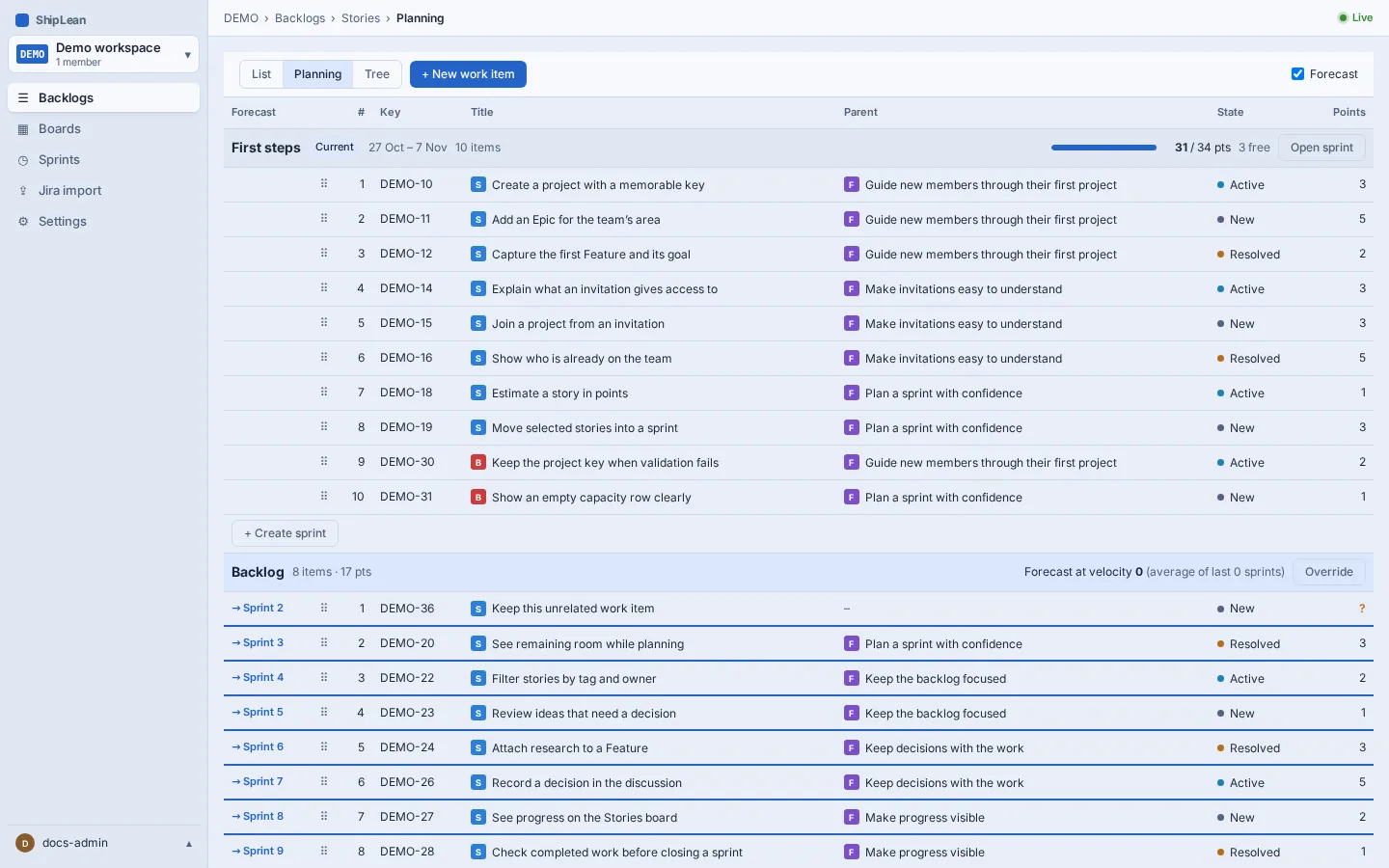
Section titled “Plan by hand”- Open the Feature’s backlog and add Stories for the outcomes a person can recognize. For this example, a Story might be “Create a project with a memorable key.”
- Add Tasks under each Story for the pieces of work needed to finish it. Keep each task small enough for one person or agent to complete and report.
- Add acceptance criteria to Stories so the team can tell when an outcome is ready. Estimate Stories in story points. Tasks do not have story point estimates.
- Put the Stories into a sprint when you are ready to plan that time period. Leave unscheduled work in the backlog.
Keep the work connected to the original Feature. Split the plan by user outcome and by independent ownership. Avoid separate layers that wait on one another.
Plan with an agent
Section titled “Plan with an agent”For several agents working in parallel, ask plan_feature to plan the existing Feature. The agent reads the planning guide, then drafts waves, stories, task briefs, and the contracts between tasks. Call capture_plan first to preview what it will add. Review the preview and its warnings. To apply it, send the same plan with unchanged arguments. The preview does not create work. Applying it adds the stories and tasks under the Feature, and attaches the plan and shared brief.
Each Story represents a lane within a wave. Each Task has its own brief. Wave 0 defines the shared contracts. Work in a later wave can start when the earlier wave’s Stories are complete or removed. Keep tasks in the same wave independent. Use waves only when one task needs another task’s result.
Choose a mode that fits the work:
- Direct. One or two tasks that fit in one working context.
- Orchestrated. A few tasks in one repository, coordinated wave by wave.
- Super agents. Many tasks or separate areas, with a lead for each lane.
These are planning patterns, not work item states. In the default workflow, a new Feature starts in New, moves to Active, and finishes in Closed. Those states belong to the Proposed, In Progress, and Completed categories. Resolved is a separate category. Your project can use different names, so choose states by category in project settings.
Check the plan
Section titled “Check the plan”Before work starts, check that each task has a clear brief, owner, files, acceptance checks, and a context estimate. Remove dependencies within a wave. Give every shared interface one owner. Leave progress, brief changes, and notes for later waves on the relevant Feature, Story, or Task in ShipLean.